Shop Pay Installments for Merchants: Fees and Setup (2026)
Shop Pay Installments for merchants, read on November 4, 2026: US orders of $35 to $30,000, paid in full in 1 to 3 business days, fee shown in your admin.
 Nicolas ProvostNov 4, 2026 · 15 min read
Summarize this article with an AI
 ChatGPT
 Claude
Table of contents (10)
Key takeaways
- Shop Pay Installments needs Shopify Payments, Shop Pay and a business entity in the US, Canada, the UK or, in early access, Australia (Shopify Help Center, November 4, 2026).
- US shoppers can split orders from $35 to $30,000, with interest-free biweekly payments up to $999.99 and monthly plans from 0% to 36% APR.
- The merchant is paid in full within 1 to 3 business days, minus a fee that replaces the standard processing fee and is shown only in the Shopify admin, as of November 4, 2026.
- The Premium package, offered to eligible merchants based on average order value, adds interest-free payments up to 12 months and monthly installments up to 24 months.
Shop Pay Installments lets your customers split an order into several payments while you are paid in full: in the United States, orders from $35 to $30,000 qualify, and the money reaches you within 1 to 3 business days after capture, minus a fee, according to Shopify's Help Center as of November 4, 2026. To offer it, your store needs Shopify Payments, Shop Pay and a business entity in the US, Canada, the UK or, in early access, Australia. The fee is higher than a standard card fee and is shown in your admin, not on a public page.
This guide is written for merchants. It reads Shopify's Help Center, its Shop Pay Installments product page and Shop's help center for shoppers as they stood on November 4, 2026, in US dollars unless a country is named. For customers with questions about their loan or a payment, Shopify's FAQ tells merchants to send them to Affirm's Shop Pay Installments Help Center.
Who can offer Shop Pay Installments?
Shopify sets three conditions in its eligibility requirements: Shopify Payments and Shop Pay must be activated, and your business entity must be located in a supported country, with a Shopify Payments account in that country's currency.
| Country | Business entity and currency | Eligible order total | Where |
|---|---|---|---|
| United States | Entity in the US or Puerto Rico, selling and payouts in USD | $35 to $30,000 | Online and retail locations |
| Canada | Entity in Canada, selling and payouts in CAD | $35 to $30,000 CAD | Online |
| United Kingdom | Entity in the UK, selling and payouts in GBP | £50 to £30,000 | Online |
| Australia (early access) | Entity in Australia, selling and payouts in AUD | $50 to $30,000 AUD | Online |
Source: Shopify Help Center, Shop Pay Installments and eligibility requirements, read on November 4, 2026. Order totals include discounts, shipping and taxes.
The details that block some stores:
- Puerto Rico. Business entities in Puerto Rico can offer Shop Pay Installments, but the option isn't available to customers in Puerto Rico.
- New stores. A payout hold during the onboarding review can prevent activation until the review is complete.
- Several business entities. Selling from multiple entities with Shopify Payments is reserved for organizations on Shopify Plus and Shopify Enterprise Commerce, and each entity activates Shop Pay Installments separately. Our Shopify Plus pricing guide covers what that plan costs.
- Affirm's review. Shop Pay Installments is powered by Affirm, which reviews stores against its prohibited business policy. Shopify lists reasons for suspension that include a password-protected store, a primary language other than English, a primary currency other than USD, CAD, GBP or AUD, a business that is primarily B2B, gambling or financial services, and regulated or prohibited products.
Inside an eligible store, you cannot pick products: Shopify's FAQ says installments apply to all products within the eligible price range, except gift cards and subscription products.
What does Shop Pay Installments cost the merchant?
Activation is free, and the cost comes per order. The Help Center page on getting paid states that you are charged a higher transaction fee on installments orders because it also includes the standard Shopify Payments processing fee. In other words, the installments fee replaces the card fee on that order: it is not added on top of it.
The Help Center does not give the rate: it points you to your admin. To see yours, go to Settings > Payments, click Manage in the Shopify Payments section, select More actions > Manage payment methods, then click View payment rates.
| Item | What applies | Source |
|---|---|---|
| Activation | No cost | Getting paid |
| Fee per installments order | Higher than the standard rate, includes the Shopify Payments processing fee, shown in your admin | Getting paid |
| Third-party transaction fee | Not charged on Shop Pay Installments orders when you use Shopify Payments | Third-party transaction fees |
| Fee on a refunded order | Not returned to you | FAQ |
| Australia | 10% GST on the Shop Pay Installments fee | Getting paid |
Read on November 4, 2026.
The standard card rates that the installments fee replaces depend on your Shopify plan. They are listed in our guide to Shopify pricing, which covers Shopify Payments rates for every plan.
When does the merchant get paid?
The getting paid article gives the rules:
- Timing. You receive full payment for the order within 1 to 3 business days after you capture the payment, excluding the Shop Pay Installments fee.
- Schedule. Installments payouts follow the payout schedule you set for Shopify Payments. A payout that falls on a weekend or holiday stays pending until the next business day.
- Credit risk. Affirm collects the payments from your customers, and you aren't at risk if they stop paying. The product page adds: "You'll always get paid in full, up front."
- Refunds. The refunded amount is deducted from your next available payout. For orders paid before August 29, 2025, the bank account linked to Shopify Payments might be debited instead. If that debit fails, Shopify recovers the funds later, shown as "Installments Balance Recovery" in a payout.
- Order edits. You can't edit an order paid with Shop Pay Installments. To change it, refund the original order and create a new one.
Disputes are described in two ways. The getting paid article says you receive a notification in your admin and an email, and respond with Open response, as with Shopify Payments disputes. The FAQ describes a dispute the customer opens with Affirm: Affirm emails the store owner, you have 15 days to reply with evidence, Affirm resolves the dispute within another 15 days and holds the disputed funds during that 30-day period. Watch both the admin and the store owner's inbox.
What do shoppers see at checkout?
To be offered installments, a shopper needs a billing address in a supported country and a Shop Pay account, according to the customer experience article. The options then depend on the order total. In the United States:
| Order total | Option offered | Interest |
|---|---|---|
| $35 to $50 | Two payments, every two weeks | Interest-free |
| $50 to $999.99 | Four payments, every two weeks | Interest-free |
| $150 to $30,000 | Monthly payments over 3, 6, 12, 18 or 24 months, depending on the amount | 0% to 36% APR where available |
| Above $20,000 | A down payment is required upfront |
Source: Shopify Help Center, customer experience, read on November 4, 2026. APR is subject to federal and state regulatory limits.
Shop's own help center for shoppers lists the same order ranges by country and the US disclosure, and adds that Affirm determines eligibility for each plan.
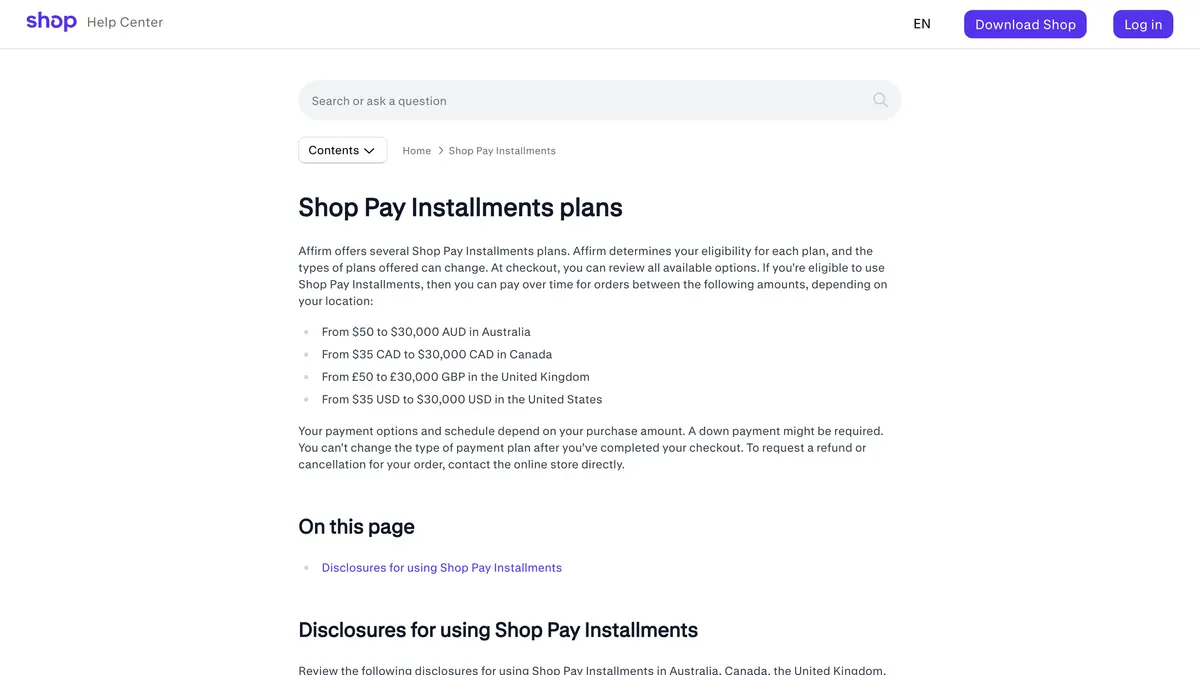 Source: Shop help center, Shop Pay Installments plans, read on November 4, 2026.
At checkout, the shopper chooses Shop Pay, picks the installments option, reviews the plans offered and makes the first payment. Later payments are charged automatically on the schedule, with an email reminder before each one. Other rules from the FAQ:
- Cards. Credit cards (US and Canada) and debit cards are accepted, but not Capital One or Chase credit cards. Monthly payment options can only be paid with a debit card.
- Credit score. Creating a Shop Pay Installments account doesn't impact a customer's credit score.
- Refunds. A refund goes back to the customer's payment method, and interest already paid isn't refunded. A refund issued as store credit or a gift card doesn't change the customer's payment schedule with Affirm, so the customer still owes the remaining payments.
On its product page, Shopify states figures of its own: a 50% increase in average order value for one in four merchants, and 28% fewer abandoned carts for merchants that switched from a third-party installments solution. Measure your own average order value before and after activation rather than budgeting on these numbers.
What is the Shop Pay Installments Premium package?
Shopify offers two packages. The product page describes Premium as designed for merchants with a high average order value:
| Standard | Premium | |
|---|---|---|
| Purchases covered | $50 to $1,000 | $35 to $30,000 |
| Interest-free payments every two weeks | 2 or 4 | 2 or 4 |
| Interest-free monthly payments | Not listed | Up to 12 months |
| Monthly installments | Up to 12 months | Up to 24 months |
| Who gets it | Eligible stores | Eligible merchants, selected in the admin |
Source: Shopify's Shop Pay Installments page, read on November 4, 2026. A footnote adds that some merchants may only be eligible to offer up to 6 months of interest-free monthly installments.
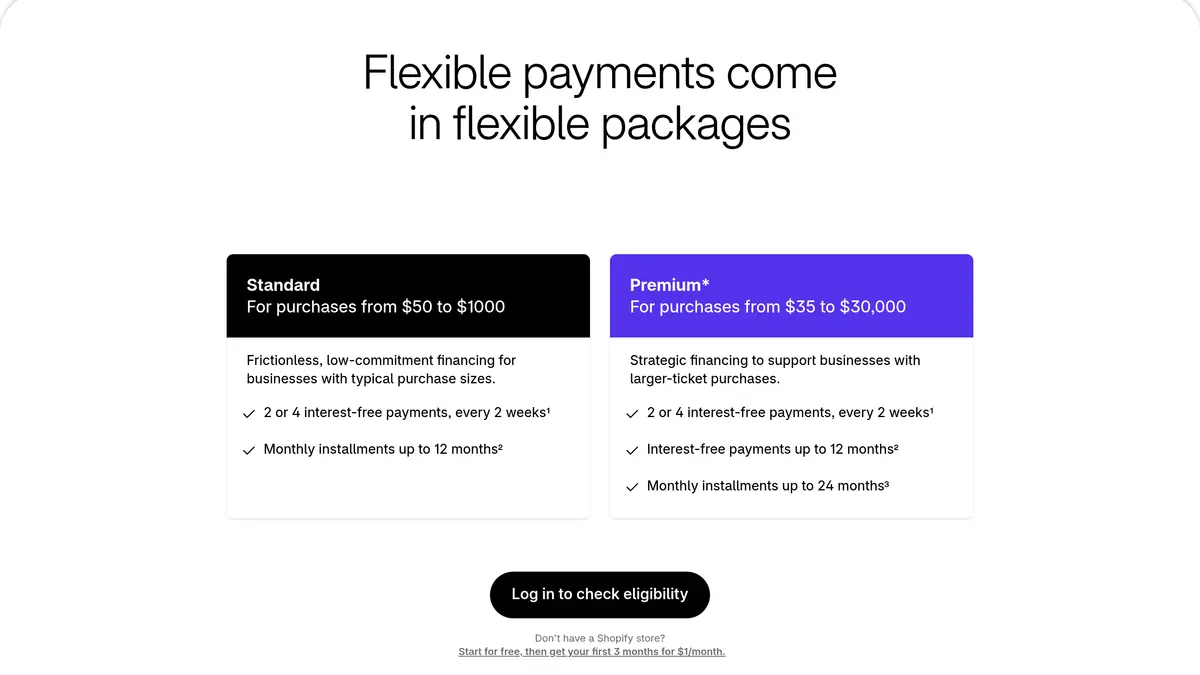 Source: Shopify's Shop Pay Installments page, packages section, read on November 4, 2026.
Three points from the activation article:
- Eligibility for Premium installments options is determined using your store's overall average order value.
- Selection happens in the admin: under Shop Pay Installments, click Manage to check eligibility, then Select premium package to accept the financing options offered.
- Per entity. On stores with several business entities, financing plans are managed separately for each one.
The product page and the Help Center state the ranges differently (the Help Center lists monthly plans from $150, the product page's footnote from $35), and neither page publishes the fee of either package. The options and rates shown in your admin are the ones that apply to your store.
How do you turn on Shop Pay Installments?
- Check the requirements: Shopify Payments and Shop Pay active, and a business entity in a supported country with the matching currency.
- Activate it: in your Shopify admin, go to Settings > Payments, click Manage in the Shopify Payments section, then in the Shop Pay section select Shop Pay Installments and click Save. If the option doesn't appear, Shopify says to review the eligibility requirements.
- Check Premium: under Shop Pay Installments, click Manage. If you are eligible, click Select premium package.
- Show the product page banner. According to the product banner article, themes installed after January 31, 2022 might already include it. Otherwise, add
{{ form | payment_terms }}on a new line below{% form 'product', productin your product form file, in a duplicate of your theme. The banner's content varies with the product's value and the customer's eligibility. - Show the cart banner by adding the snippet described in the cart banner article below the cart subtotal.
- Turn it on in store (US only). The product page's FAQ requires the Shopify POS app version 8.4.0 or later and the Create and edit permission in Draft orders for staff. Rates and eligible amounts in store are the same as online.
- Use approved wording in emails, banners and ads. Shopify's approved messaging asks you to include the US disclosure anywhere you advertise payment plans, and its compliance page lists terms, such as a specific monthly payment amount, that require a full representative example.
How do you check your own cost?
- Read your rate in Settings > Payments, under Manage payment methods, then View payment rates.
- Write down your standard card rate for your plan, from the same screen or from our Shopify pricing guide.
- Compute the extra cost per order: the installments rate minus the card rate, applied to your average installments order.
- Find your installments orders: in Orders, type "Shop Pay Installments" in the search bar.
- Check the payouts: in Settings > Payments, View payouts, then Transactions, filter by payment method.
- Compare average order value for installments orders and other orders over the same period, and count the refunds, since the fee is not returned on them.
What does an installments order look like? A worked example
The store is fictional. It sells furniture in the United States on Shopify Payments, with Shop Pay Installments activated. The options are the US options listed in the Help Center: your package and Affirm's eligibility check decide what each shopper is actually offered.
- A $45 cushion set. The shopper can choose two interest-free payments every two weeks, $22.50 each.
- A $600 armchair. The order fits the $50 to $999.99 range: four interest-free payments every two weeks, $150 each.
- An $1,800 sofa. Too large for the biweekly plans, so monthly payments are offered over 3 to 24 months depending on the amount, at 0% to 36% APR. With the Premium package, the store could also offer interest-free monthly payments up to 12 months.
On each of the three orders, the store receives the full amount minus its installments fee within 1 to 3 business days after capture, and Affirm takes over the collection. The cost compared with a card payment is the gap between the installments rate in the admin and the standard card rate, applied to the order total.
If the sofa is returned after two monthly payments, the $1,800 refund is deducted from the store's next payout, the installments fee is not returned, and the shopper does not get back the interest already paid. A refund as store credit would leave the shopper's Affirm schedule unchanged, which is why the Help Center recommends refunding to the original payment method.
Where does WhatsApp fit with high-value carts?
Shop Pay Installments shows its options on your product pages, in the cart and at checkout. A shopper who leaves before paying does not see them again unless something brings them back to the cart. For larger orders, that reminder is worth sending on a channel the shopper reads.
Kanal, our WhatsApp marketing app for Shopify, handles that step with abandoned cart recovery on WhatsApp: when a shopper leaves a cart, Kanal sends an automated WhatsApp reminder with a link back to the cart, and tracks the revenue of each message. Kanal does not display or calculate installment offers: the payment options remain Shopify's, shown at checkout. If your reminder mentions paying over time, use Shopify's approved wording, such as "Get it now, pay over time", and include the US disclosure when you name a payment plan.
Messages go to shoppers who opted in, which Kanal collects with a pop-up and a chat widget that open WhatsApp. For message ideas, see our WhatsApp abandoned cart templates, and for the full sequence across channels, our abandoned cart recovery strategies.
| Kanal plan | Price per month |
|---|---|
| Pro | €89 |
| Scale | €149, with RCS and SMS included and the AI agent |
| Business | €350, with RCS, SMS and the AI agent |
Source: Kanal pricing page, read on November 4, 2026. Meta bills WhatsApp messages on top, at rates explained in our WhatsApp Business pricing guide.
Shop Pay Installments at a glance
| Item | On November 4, 2026 | Source |
|---|---|---|
| Countries | US, Canada, UK; Australia in early access | Shopify Help Center |
| Requirements | Shopify Payments, Shop Pay, business entity and currency of the country | Eligibility |
| US order total | $35 to $30,000 | Shopify Help Center |
| US options | 2 payments ($35 to $50), 4 payments ($50 to $999.99), monthly ($150 to $30,000) at 0% to 36% APR | Customer experience |
| Merchant fee | Higher than the standard rate, includes processing, shown in the admin | Getting paid |
| Payout | Full amount minus the fee, 1 to 3 business days after capture | Getting paid |
| Credit risk | Carried by Affirm | Shopify product page |
| Premium package | Interest-free up to 12 months, monthly up to 24 months, by average order value | Shopify product page |
| Not eligible | Gift cards, subscription products | FAQ |
Shop Pay Installments costs nothing to switch on and is paid for order by order, at a rate you only see in your admin. Read that rate, compare it with your card rate, check whether your average order value makes you eligible for Premium, and add the banners so shoppers see the options before checkout.
See Kanal on your own store
- Your campaigns and cart reminders on WhatsApp, starting from your own store
- Post-purchase offers, back-in-stock alerts, then the AI agent that advises your customers
- You leave with the plan that fits and its price
From €89/month
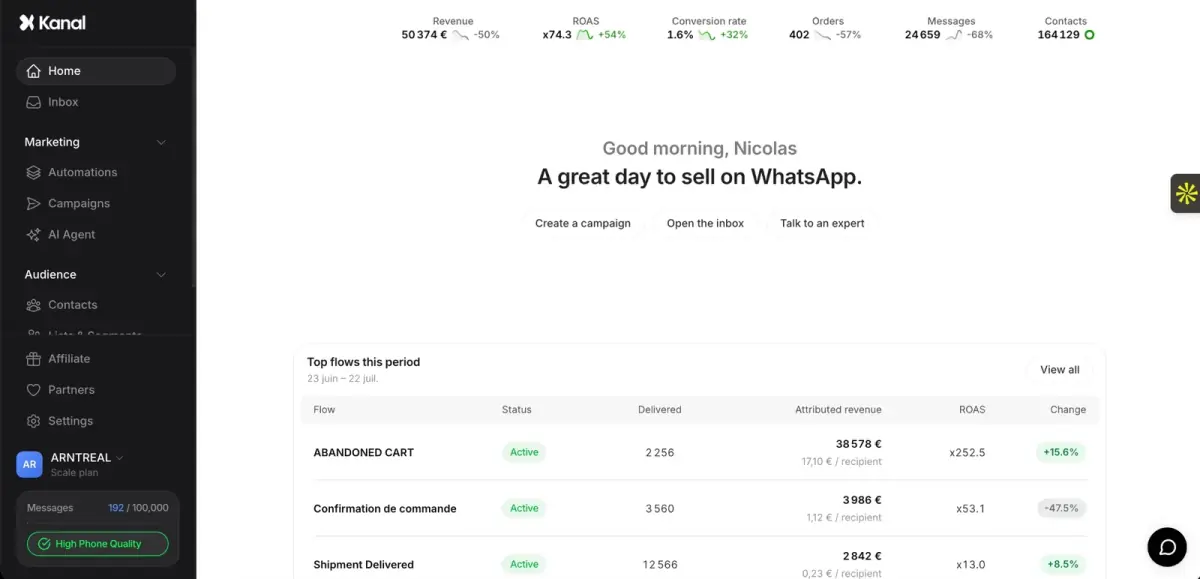
- brands
- 500+
- to set up
- 5 min
- open rate on WhatsApp
- +90%
Nicolas helps e-commerce brands grow revenue with WhatsApp marketing. With deep expertise in Shopify ecosystems and conversational commerce, he shares proven strategies for abandoned cart recovery, broadcast campaigns, and AI-powered customer engagement.